

Tools like Google Meet real-time speech translation are transforming how we connect, work together, and communicate internationally in the quickly changing world of digital communication today. Real-time multilingual communication is becoming a need rather than a luxury as firms expand internationally. One of the most popular video conferencing services, Google Meet, has welcomed this change by adding state-of-the-art tools to increase meeting accessibility and efficiency. From easy-to-follow how to use Google Meet instructions for novices to sophisticated features like screen sharing and live translations, Google Meet has completely changed virtual communication for everyone, from business teams to educators.
Questions like how to record a Google Meet and does Google Meet have a time limit? inevitably come up when users take advantage of all of its features. These are important considerations when organizing seminars, courses, or international conferences. What is companion mode in Google Meet? A special feature that accommodates hybrid contexts further improves the experience. This blog will cover everything, from comparing Google Meet pricing for business use to learning how to share screen on Google Meet for a presentation. Don’t worry if you’re unfamiliar with the platform and are unsure of how to schedule a Google Meet; we’ll guide you through the full procedure. You’ll have a better grasp of how Google Meet can be modified to satisfy the needs of the modern, digitally-first world by the end.
The Development of Google Meet as a Communication Superpower
Google Meet started out as a straightforward video conferencing application but has quickly developed into an advanced platform with capabilities to meet the demands of contemporary communication. Users may start or attend meetings directly from Gmail or Calendar thanks to its interaction with Google Workspace. Its usefulness and dependability have been further improved by the addition of AI-driven capabilities, which have helped it stand out in the crowded virtual conferencing industry.
Speech Translation in Real Time: Revolutionizing Multilingual Meetings
Real-time voice translation in Google Meet is arguably the most innovative feature. This feature makes international cooperation more inclusive by supporting live transcription in many languages. This application improves comprehension and participation for all participants by removing language barriers in international classrooms and cross-border business meetings.
Beginning: How to Make the Most of Google Meet
How to get the most out of Google Meet is a common question for new users. To create a link, just click New Meeting after checking in with a Google account. The user interface is clear, easy to use, and accessible. Even inexperienced users may join with confidence because of features like the chat sidebar, camera controls, and mute/unmute button.
When and How to Record a Google Meeting
Meetings must be recorded for records and follow-ups. Users with specific Google Workspace accounts can record sessions using Google Meet. All you have to do is click the three-dot menu while the meeting is in progress and choose Record Meeting. It provides ease and transparency, making it ideal for online classes, interviews, and compliance-sensitive conversations.
Time Limits for Google Meet: Free and Paid Versions
Whether Google Meet has a time limit is a frequently asked question. Users with free accounts may have meetings for up to 60 minutes; however, Google Workspace members can host meetings for longer periods of time, depending on their plan. Especially for users organizing lengthy sessions or webinars, this distinction is essential for selecting the appropriate tier.
Companion Mode in Google Meet: An Overview
One special feature is buddy mode, which enables users to collaborate by joining a conference on a second device without producing aural feedback. It enables individuals to present or engage on a different screen while remaining connected to the meeting on their primary device, making it perfect for hybrid meetings or interactive whiteboards.
Google Meet Screen Sharing: A Presenter’s Dream
Google Meet makes it easy to present presentations, documents, or apps. Click Present Now during a call, then select your full screen, a window, or a particular tab. This feature, which offers a flexible and dynamic experience, facilitates real-time collaboration and is frequently utilized in team demos, webinars, and lectures.
Examining Pricing Options for Google Meet
As a component of Google Workspace, Google Meet comes in several levels to accommodate business, educational, and personal requirements. Higher participant limits, longer meeting durations, and features like polls, recordings, and attendance monitoring are all included in the premium editions, even if the basic version is free. Knowing the price makes it easier to choose a plan that fits your consumption objectives.
Setting Up a Google Meet for Upcoming Conferences
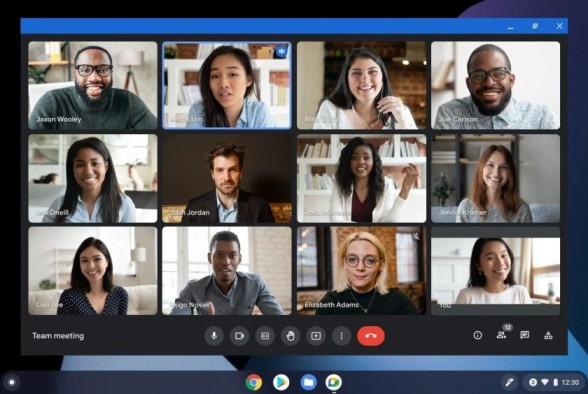
Better organization is ensured when meetings are scheduled in advance. Google Calendar scheduling is possible with Google Meet. Users only need to add participants and add the Google Meet link after selecting Create in Calendar. By ensuring automated reminders and simple joining, this connection lessens the hassle that comes with virtual event organizing.
Inclusion and Accessibility: The Foundation of Google Meet’s Development
Inclusion is one of the fundamental tenets of Google Meet. Users of different backgrounds and skill levels may benefit from features like real-time translation, noise reduction, and live captioning. This makes it especially useful for people who have language or hearing impairments, as well as in educational settings.
Privacy & Security: Is Google Meet Secure?
Google Meet offers end-to-end encryption for meetings, guaranteeing that discussions stay private in the age of cybersecurity concerns. Additionally, it gives hosts the ability to mute players or admit only members who have been approved. It is a reliable venue for delicate conversations because of these security measures.
Connectivity with Other Tools and Google Workspace
A unified work experience is produced by Google Meet’s smooth interaction with Workspace applications, including Docs, Slides, Sheets, and Gmail. With the ability to navigate between apps, transfer information instantly, and keep context throughout meetings, users may increase productivity and collaboration without relying on outside technologies.
Stability and Performance under Different Network Conditions
Even on networks with limited bandwidth, Google Meet maximizes performance. It ensures seamless interaction by utilizing adaptive technology to modify audio and video quality according to connectivity. For customers who live in distant areas or are on the go and do not have access to high-speed internet, this makes it a great option.
Can Educational Institutions Use Google Meet?
Of course. Google Meet is currently used by many colleges and universities for online instruction. For virtual lessons, teachers can share screens, record sessions, and set up recurrent classes. Learning administration is made simpler by the connection with Google Classroom, which facilitates and improves remote learning.
Google Meet’s AI and Intelligent Features
AI-powered Meet improvements, such as hand-raise identification, noise reduction, and clever participant framing, have been progressively added by Google. By mimicking the dynamics of in-person interaction in a digital setting, these elements help create a more organic and effective meeting atmosphere.
The Reasons Google Meet Is Still a Top Virtual Meeting App
Google Meet distinguishes itself from its rivals by striking a mix between robust functionality, ease of use, and interaction with the larger Google ecosystem. Regardless of your role—individual, educator, or business—Google Meet provides capabilities that adapt to your requirements without becoming overly complicated.
In conclusion
Google Meet is an end-to-end communication solution that offers more than simply video calling features, including screen sharing, privacy, real-time translations, and recording. Understanding its advantages will enable users to interact efficiently across borders and time zones as remote work and global collaboration continue to grow in popularity. There has never been a better moment to fully utilize Google Meet’s capabilities, whether you’re learning how to schedule a Google Meet or simply realizing how useful companion mode is. Google Meet is setting the standard, not simply staying up.