
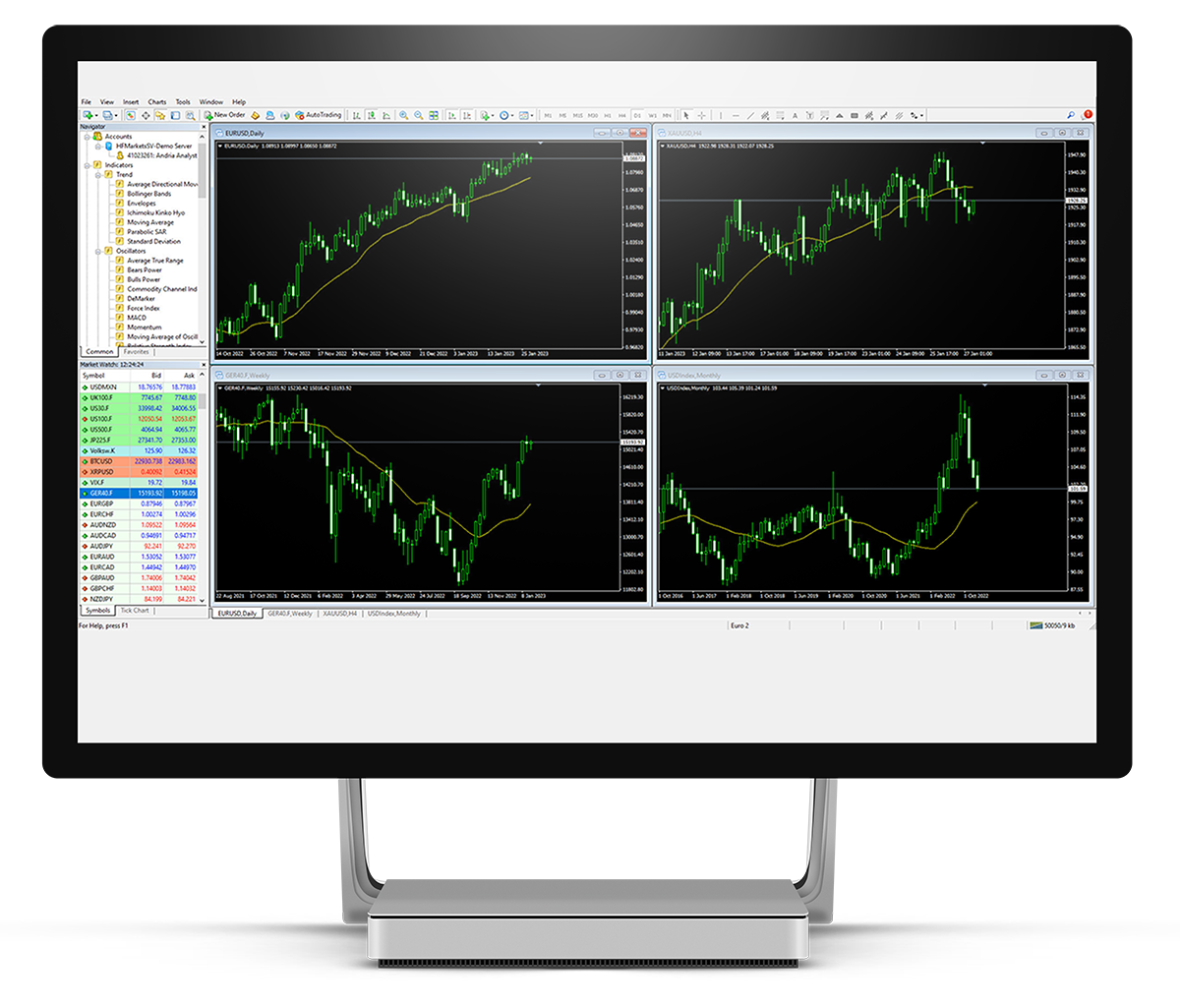
MetaTrader 4, commonly known as MT4, remains one of the most popular trading platforms for online traders worldwide. Designed to provide a comprehensive suite of tools for Forex, CFDs, and other financial markets, mt4 for windows offers full functionality, allowing traders to analyze markets, execute trades, and manage risk efficiently. Its combination of user-friendly interface, advanced charting, and automated trading options makes it a go-to choice for both beginners and experienced traders.
This article explores the features and advantages of MT4 for Windows, demonstrating how traders can leverage its capabilities for effective market analysis, real-time trading, and strategic decision-making.
Overview of MT4 for Windows
MT4 for Windows is a desktop-based platform that delivers the full functionality of MetaTrader 4 without compromise. While mobile and web versions are available, the Windows version supports more advanced features, including custom indicators, automated trading strategies, and detailed chart analysis.
Traders benefit from a stable and responsive environment that allows multiple chart windows, fast order execution, and seamless integration with expert advisors (EAs). The platform’s architecture is optimized for high-speed trading, making it suitable for fast-moving markets like Forex and CFDs.
Real-Time Market Analysis
One of the key strengths of MT4 for Windows is real-time market analysis. Traders can monitor live price movements across multiple instruments, track bid-ask spreads, and evaluate trends as they develop.
MT4 supports various chart types, including line, bar, and candlestick charts, allowing traders to select the format that best suits their analysis style. Real-time data is complemented by technical indicators, which include moving averages, MACD, RSI, Bollinger Bands, and more. By combining live charts with technical analysis, traders can make informed decisions in fast-paced markets.
Advanced Charting Tools
Charting is at the heart of MT4 functionality. The platform allows users to open multiple chart windows simultaneously, apply multiple timeframes, and customize layouts according to trading strategies.
Key charting features include:
- Multiple timeframes to assess short-term and long-term trends.
- Graphical objects such as trendlines, channels, and Fibonacci retracements.
- Custom indicators that can be programmed or imported.
- Template saving to quickly apply preferred settings across charts.
Advanced charting capabilities help traders identify entry and exit points, observe market patterns, and align trades with strategic objectives.
Technical Indicators and Analytical Tools
MT4 for Windows provides over 30 built-in technical indicators, covering trend-following, oscillators, and volatility measures. These indicators allow traders to identify trends, reversals, and market momentum.
Popular indicators include:
- Moving Averages for smoothing price fluctuations and determining trend direction.
- Relative Strength Index (RSI) for spotting overbought or oversold conditions.
- MACD for evaluating momentum and trend strength.
- Bollinger Bands for analyzing volatility and potential breakouts.
Additionally, MT4 supports custom indicators developed in MQL4 programming language, allowing traders to tailor tools to their specific strategies.
Automated Trading with Expert Advisors
One of the most significant advantages of MT4 for Windows is support for automated trading through Expert Advisors (EAs). EAs are programs that can execute trades based on pre-defined rules, eliminating the need for manual intervention.
Traders can:
- Backtest EAs using historical data to assess potential performance.
- Deploy EAs on live accounts to automate trading strategies.
- Adjust risk parameters and trade logic to align with specific goals.
Automated trading ensures consistency, reduces emotional decision-making, and enables round-the-clock market participation, particularly useful in 24-hour markets like Forex.
Risk Management Features
Effective risk management is critical in trading, and MT4 for Windows provides robust tools for controlling exposure. These include:
- Stop-loss orders to limit potential losses.
- Take-profit orders to secure profits at predetermined levels.
- Trailing stops to dynamically adjust risk as prices move favorably.
- Order types such as market, pending, and stop orders for flexible execution.
By using these risk management tools, traders can protect capital, manage volatility, and maintain disciplined trading practices.
Multi-Asset Trading
MT4 is not limited to Forex; it supports CFDs on indices, commodities, and cryptocurrencies. This flexibility allows traders to diversify portfolios and access multiple markets from a single platform.
Each asset class benefits from real-time pricing, charting, and technical indicators, enabling traders to apply similar strategies across different markets. Multi-asset trading also allows for hedging opportunities, improving risk-adjusted performance.
User Interface and Customization
Card grader ai and MT4 for Windows features an intuitive and customizable user interface. Traders can organize chart windows, toolbars, and indicators according to personal preferences.
Customization options include:
- Workspace layouts to organize multiple charts efficiently.
- Color schemes to improve visibility and reduce eye strain.
- Indicator templates for applying preferred settings quickly.
The interface is designed to streamline workflow, ensuring traders can focus on analysis and execution rather than navigation.
Backtesting and Strategy Optimization
MT4 allows traders to backtest strategies using historical price data. Backtesting evaluates how a trading plan would have performed in past market conditions, helping refine parameters and improve accuracy.
Strategy optimization features include:
- Testing multiple variables simultaneously.
- Evaluating profitability and risk metrics.
- Adjusting parameters to maximize performance.
By conducting thorough backtesting and optimization, traders can improve confidence in strategies before committing real capital.
Alerts and Notifications
MT4 for Windows offers advanced alert systems, ensuring traders never miss critical market movements. Alerts can be set for:
- Price levels or trends.
- Indicator signals or conditions.
- Pending orders and executed trades.
Notifications can be delivered via pop-ups, emails, or push notifications to mobile devices, keeping traders informed even when away from the platform.
Security and Reliability
Security is paramount in online trading, and MT4 for Windows includes encrypted communications to protect user data and transactions. The platform also offers reliable performance, capable of handling high-frequency trades without lag or disruption.
Traders can confidently execute strategies knowing that trade orders and account information are secure and that the platform can handle rapid market fluctuations.
Community Support and Resources
MT4 has a large global user base, providing access to a wealth of resources, forums, and shared indicators. Traders can leverage community-developed EAs, scripts, and educational materials to enhance their strategies.
The availability of tutorials, webinars, and online support ensures that both novice and experienced traders can continuously improve their understanding of the platform and markets.
Integration with Brokers and Trading Accounts
MT4 for Windows seamlessly integrates with numerous brokers worldwide. This compatibility allows traders to execute trades directly from the platform while accessing account information, balance, and margin levels.
Integration features include:
- One-click trading for rapid order execution.
- Multiple account management to trade different strategies simultaneously.
- Real-time monitoring of account equity, margin, and exposure.
Such integration ensures a smooth trading experience and simplifies the management of multiple instruments and accounts.
Advantages of MT4 for Windows Over Other Platforms
While mobile and web versions of MT4 exist, the Windows platform offers several advantages:
- Full access to all features, including advanced charting and EAs.
- Faster execution speeds due to desktop processing power.
- Greater flexibility in managing multiple charts and indicators.
- Enhanced backtesting and strategy optimization capabilities.
For traders seeking comprehensive tools and professional-grade functionality, MT4 for Windows remains a preferred choice.
Tips for Effective Trading on MT4
To maximize the potential of MT4 for Windows, traders should consider the following tips:
- Regularly update the platform to access new features and improvements.
- Organize workspace layouts for efficient analysis.
- Use combination strategies integrating technical, fundamental, and automated trading.
- Implement strict risk management practices with stop-loss and take-profit levels.
- Monitor community resources for indicators and strategy ideas.
Following these practices helps traders utilize MT4 effectively and enhances decision-making in dynamic markets.
Conclusion
MT4 for Windows provides traders with full trading functionality, covering Forex, CFDs, and global financial markets. Its combination of real-time analysis, advanced charting tools, automated trading through expert advisors, and robust risk management makes it an essential platform for modern traders.
With multi-asset trading, strategy backtesting, alerts, and a customizable interface, MT4 empowers traders to analyze markets comprehensively and execute trades efficiently. Its security, reliability, and integration with brokers ensure a professional-grade trading experience.
For anyone navigating the complex world of online trading, MT4 for Windows offers the tools, flexibility, and functionality needed to make informed decisions, manage risks, and pursue consistent results in the fast-paced financial markets.