
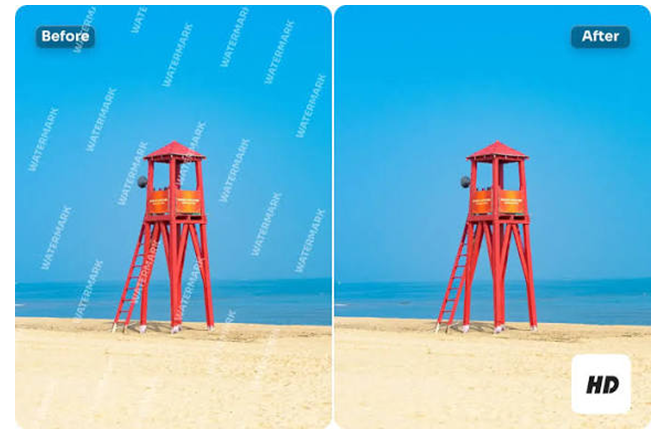
When managing social media or a business’s marketing, you are aware of the numerous images you have to deal with. One campaign may require dozens or even hundreds of photos.
When they are watermarked, logos, or even dated, then fixing one image at a time is a time-waster. Batch removing watermarks saves hours and keeps your feed on schedule. This tutorial demonstrates effective, quick, and easy methods for removing watermarks from various photos without compromising quality.
Organise your Files
Time is saved by being well organised. Place all images requiring the watermark removal in a single folder. Label the files in a way that allows you to identify which batch you are working on and which one is the original.
When uploading to cloud storage, ensure that you have a clean file and a reliable, fast internet connection to support batch work.
Select the Appropriate tool for Batch Processing.
Not all tools can work with multiple files in a short amount of time. Search for web services or software that has a greater limit to remove watermarks in a short span.
When making a choice, consider the following factors: quality of the batch output, speed, privacy and file handling policies, and cost. The poor quality of the results from a fast tool will require more time for post-editing. An efficient watermark removal tool ensures the quality and privacy.
The Secret of Speed is Automation.
The secret of speed is automation. When the watermark appears in a similar location on a large number of photographs, you can either save a selection or an automated template to label the watermarked region, relying on it in each photo. Most editing apps allow recording an action or a macro which applies clones, healing actions, and colour corrections automatically.
An AI batch tool to remove watermark from image works better with complex watermarks. It allows you to leave the heavy lifting to it while you can spend your time elsewhere.
Create a Fast Quality Inspection System.
The batch work is quick, but quality is an issue. Create a checklist to identify potential issues. Verify that some important detail should not be filled in with a blur in the place of a removed watermark. Find a sample set of edited pictures and look at them.
Next, watch them through the mobile screen, as most social fans will view the pictures on their phones. In case a batch tool makes tiny mistakes, correct them quickly with a few strokes of an imitative or restorative brush.
Combine AI and Human Touch.
AI excels in bulk work, but human editing prevails in the details that are nuanced and complex. One workflow would be to perform the AI or batch operation, and then quickly touch up the overall issues. This combination strategy maintains a high-quality pace.
In big campaigns, divide the task: First, use AI, followed by junior employees to review the work, and then have one of the senior editors approve it.
Which AI Watermark Removal Tool is Best
In case you need a high-speed, web-based, and scale-friendly service, new services are in place to remove watermark from image. When you need to remove watermarks regularly in larger volumes, look for a service that can be trusted to remove them quickly and efficiently.
AIEnhancer, in that regard, is a reliable and fast watermark removal platform with the highest colour accuracy and provides results up to 4k. That ensures your favourite photos are no longer blurred and ensures your social media agency’s progress.
Final Tips
AI automatic watermark removal works best when you also verify that it is doing the job correctly. It can help save time, but human checks must remain in place to ensure quality. It boosts your social media agency when it handles the job flawlessly without compromising quality.