
If you’ve ever wondered what AWS Lambda is, think of it as a tiny, highly efficient worker sitting in the cloud that wakes up only when you need it, runs a short job, and then goes back to sleep. It’s a model of compute where you don’t worry about servers, scaling groups, or patching operating systems; you focus on a single unit of code — a function —, and AWS takes care of provisioning, executing, scaling, and retiring the underlying resources.
This shift in responsibility changes how teams think about design, testing, and operations: rather than planning instances and load balancers, you think in events, triggers, and short-lived computations. Lambda integrates with a wide range of AWS services so that storage updates, HTTP requests, messaging queues, scheduled timers, and many other events can instantly invoke small pieces of code, making it a natural fit for web backends, data pipelines, automation, and glue code between services.
The service’s billing model aligns cost to actual execution time and memory used, which can be conceptually freeing: you pay for compute while it runs, in the smallest practical units. That said, serverless isn’t magic — it requires a different mental model for performance, observability, and error handling. The next sections unpack what a Lambda does, how it’s priced, how developers build and deploy functions, and how architects make practical trade-offs when designing serverless systems.
What A Lambda Function Represents
A Lambda function is a compact program packaged with runtime configuration and permissions that AWS executes on demand. In practice, you write a handler that receives input — JSON payloads, HTTP events, stream records — and returns a result or side-effects to other services. That handler is paired with configuration: memory allocation, timeout, environment variables, IAM role, and triggers. Under the hood, AWS manages containers (or micro-vms) that bootstrap language runtimes, download your code, initialize libraries, and then call your handler.
For many languages and runtimes, the initialization step (cold start) occurs once per container; subsequent invocations reuse the initialized runtime, producing much faster response times. This lifecycle (cold start → invocation → warm reuse → eventual container retirement) is central to designing functions: keep init short, avoid heavy synchronous dependencies at startup, and prefer lazy-loading when possible.
Functions are stateless by design, so external state needs are met via services like S3, DynamoDB, RDS, ElastiCache, or managed caches.
Common Use Patterns And Integration
Lambda sits at the crossroads of many AWS services. You’ll find it transforming S3 uploads, handling API Gateway requests, processing Kinesis and Kinesis Data Firehose streams, reacting to DynamoDB stream changes, orchestrating workflows via Step Functions, or acting as scheduled cron jobs using EventBridge. Because invocation triggers are diverse, Lambda is often the easiest glue layer — a short script can enrich incoming data, validate messages, fan-out tasks, or call external APIs.
Long-running tasks, however, should be rethought; Lambda excels for tasks that fit comfortably within timeouts (configurable, but bounded), and which can be horizontally scaled by parallel invocations. The event-driven nature leads to architectures that are highly decoupled: producers emit events, consumers implement logic, and the system scales at the function level rather than the VM level.
Memory, CPU, and the Performance Equation
When allocating capacity to a Lambda, you specify memory, and CPU scales proportionally. That means choosing memory is both a performance and cost decision. A heavier memory allocation yields more CPU and often shorter duration for compute-bound workloads. For I/O-bound tasks, however, more memory may increase cost without meaningful speed-ups.
Because billing is per GB-second, performance engineering for Lambda is an exercise in finding the “sweet spot”: the configuration that minimizes cost per useful work unit. Benchmarks and real traces matter here; you might discover that increasing memory by 2x reduces runtime by 40% and therefore reduces the total cost — sometimes bigger is cheaper.
This relationship also influences runtime selection and architecture: languages with faster cold start characteristics or JITs (for example, newer Node.js and Python runtimes, or compiled languages on Arm64) can meaningfully change cost/latency trade-offs. Recent industry measurements show Arm64 builds and selected runtimes can improve both cost and cold-start performance in many workloads.
AWS Lambda Pricing — The Basics
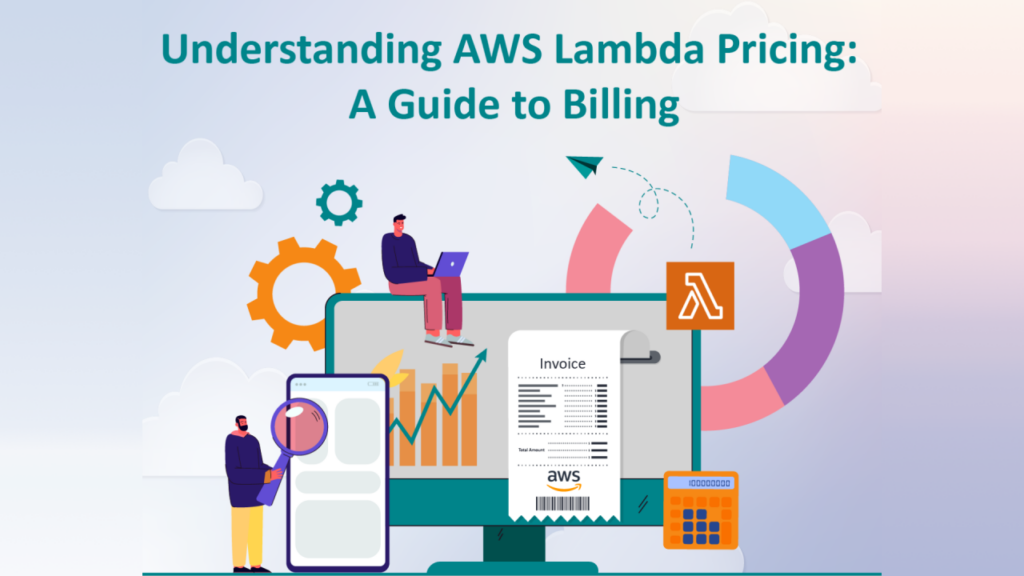
AWS charges Lambda based primarily on two axes: invocation (requests) and compute duration (measured in GB-seconds). The invocation charge is measured per million requests; the compute charge multiplies allocated GB by execution time in seconds (rounded to billing granularity). AWS also provides a generous free tier — typically the first one million requests and a fixed amount of GB-seconds per month — which is useful for testing and small workloads.
Beyond the baseline charges there are additional cost components for specialized features like Provisioned Concurrency (which reserves warm executions and incurs a steady GB-second cost while provisioned), SnapStart (for Java functions, to reduce cold starts, which has its own pricing), Lambda@Edge (different pricing model), and data transfer or downstream service costs if your function interacts with other AWS services. Pricing numbers and exact per-GB-second rates can change over time, so it’s common to consult the official pricing page or cost calculators for current rates when planning budgets.
How To Think About Cost In Practice
Practical cost planning for Lambda goes beyond raw rates. Start by profiling actual workloads: measure average duration, peak concurrency, and invocation counts. Then convert those metrics to GB-seconds and add request charges to estimate monthly spend. Factor in free tier allowances if applicable.
Next, examine features: for latency-sensitive APIs, Provisioned Concurrency eliminates cold starts but adds a baseline cost proportional to provisioned GB-seconds; for bursty workloads, occasional cold starts may be acceptable and more economical. Also, remember that optimizing code to reduce execution time (refactoring hot paths, using native libraries judiciously, choosing better I/O patterns) directly reduces duration billing.
Finally, system-level choices matter: offload heavy compute to specialized services (Fargate, EC2 Spot, or managed ML services) when continuous or long-running compute is cheaper than repeated Lambda invocations. Several third-party guides and cloud engineering posts unpack these trade-offs with worked examples and calculators — useful for hands-on cost modeling.
Cold Starts, Warm Starts, and Mitigation Techniques
Cold starts happen when Lambda must initialize a fresh execution environment. The perceived latency of that initialization varies by runtime and size of dependencies — small Node.js or Python handlers can start quickly; heavy Java apps or large deployment bundles can take longer.
Mitigation strategies include keeping package size small, using lighter-weight runtimes, moving heavy dependencies outside the handler into layers or remote services, and using Provisioned Concurrency for critical paths that require consistent low latency.
Another technique is to structure code so that initialization work is minimal and lazily performed only when needed. AWS features like SnapStart for Java aim to reduce cold start duration for specific runtimes; again, these features have cost implications and should be judged against your latency requirements and budget.
Deployment, Versioning, and CI/CD For Functions
Treat Lambda code like any software artifact: version it, test it, and roll it out with automation.
AWS supports deploying Lambdas via ZIP/artifact uploads or container images, and you can also use Infrastructure as Code (IaC) tools — CloudFormation, SAM (Serverless Application Model), Terraform, or CDK — to manage configuration, permissions, and triggers declaratively. Versioning and aliases help implement blue/green or canary deployments: publish a new version, shift a percentage of traffic to it via an alias, verify metrics, and then promote.
Automated pipelines running unit tests, integration checks, contract validation, and smoke tests minimize bad rollouts. Observability hooks (structured logs, traces from X-Ray, metrics in CloudWatch) are essential for post-deploy verification, because functions are ephemeral, ensure your logs include correlation identifiers so you can trace a request end-to-end.
Security, Permissions, and Least Privilege
Lambda runs with an associated IAM execution role that governs what the function can access. Following least-privilege principles means granting the function only the permissions it needs — read-only access to a single S3 prefix instead of global S3, for example. Environment variables are convenient for configuration, but treat secrets carefully: prefer AWS Secrets Manager or Parameter Store with encryption, and avoid hard-coding credentials.
Network configuration also matters: functions in a VPC that access RDS or private resources require careful subnet and NAT design because network setup can dramatically affect cold start time. Always include monitoring for unusual invocation patterns and leverage AWS controls like resource policies and permission boundaries for multi-tenant or large-scale teams.
Observability and Debugging in a Serverless World
Observability in Lambda-based systems mixes metrics, logs, and traces. Duration, cold-start counts, error rates, and throttles show broad health; logs provide the detailed context for failures; distributed traces reveal cross-service latency and call chains. To debug effectively, capture structured logs, include request identifiers, and propagate context across services.
Tools ranging from CloudWatch and X-Ray to third-party APMs provide richer visualizations and alerting. Because Lambdas can spawn many short-lived executions, sampling strategies and retention policies become important to control costs and data volume. Instrumentation also enables cost optimization: by correlating high-cost functions with business metrics, you can prioritize optimization work where it matters most.
When Not To Use Lambda
Despite its strengths, Lambda is not a silver bullet. Long-running compute, heavy stateful workloads, or processes requiring predictable, sustained high CPU for many hours may be cheaper and easier on EC2, ECS/Fargate, or specialized compute services. Similarly, extremely latency-sensitive systems with sub-millisecond demands might prefer dedicated resources to avoid any cold start risk.
Lambda’s billing granularity and timeout constraints also shape architectural choices — for example, very large batch jobs are often better split into chunks orchestrated by Step Functions, Batch, or container jobs. Ultimately, evaluate using real workload profiling and cost comparisons rather than intuition alone.
Conclusion
AWS Lambda reframes compute as a series of short-lived, event-driven functions where operational overhead is dramatically reduced, and cost aligns closely with execution.
Understanding the nuances — how memory maps to CPU, how cold starts affect latency, how Provisioned Concurrency or SnapStart change economics, and how to measure GB-seconds for accurate cost modeling — turns Lambda from a novelty into a reliable building block for modern cloud systems. Whether you use Lambda for API handlers, data transforms, or light orchestration, the key is to measure, profile, and iterate: optimize where the business gains are highest, automate deployments and observability, and choose complementary services when workloads fall outside the “short-lived, stateless” pattern.
The serverless model rewards modularity and rapid iteration; armed with practical metrics and a clear design strategy, teams can harness Lambda to simplify operational complexity while keeping costs and performance predictable.