
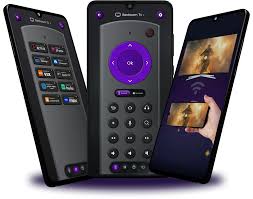
The funny thing about Roku remotes is that people usually search how long is a roku remote when they are already annoyed. They are not casually sitting at a coffee shop wondering about remote dimensions like it’s a personality test. They are trying to buy a case, compare a roku remote replacement, figure out if the one on the table belongs to the Roku device or the TV, or they’re halfway through a problem where the roku remote not working situation has somehow eaten their evening.
And Roku, to its credit, gives you a few different remotes, which sounds helpful until you’re the person holding one in your hand wondering why this small rectangle has become the main character in your living room conflict.
So let’s make this simple.
Most current Roku player remotes are about 5.5 inches long. Roku’s official product pages list the Roku Players Remote at 5.5 inches (140 mm) long, and the Roku Voice Remote at 5.5 inches long, 1.65 inches wide, and 0.78 inches high. Roku’s Roku TV Remote is a little longer at 5.7 inches.
That answers the size question. But honestly, nobody stays on that question for long. They move straight into the real stuff: why the remote stopped responding, how to pair it again, how to sync it when there’s no button, how to make it control the TV, when to try a reset, and when to stop fighting physics and just get a replacement.
So that’s what this article is really about.
Roku has more than one kind of remote, and that’s where the confusion starts
There are simple Roku remotes and voice Roku remotes. They do not behave the same way, and if you don’t know which one you have, the troubleshooting gets messy fast.
A simple remote usually uses infrared. It needs line of sight. Point it at the device, press the button, hope for cooperation. Roku says its simple remotes do not have a pairing button. You insert fresh batteries or remove the battery pull tab and they should be ready to use, because these remotes are not meant to go through wireless pairing the way voice remotes do.
A voice remote connects wirelessly and does need pairing in many cases. Roku’s setup instructions say you can pair a voice remote through the pairing button, or on some models without a pairing button by holding Back + Home for 5 seconds until the status light flashes.
That one distinction explains a lot of household chaos. Someone searches how to pair roku remote, but they’re holding a simple remote that doesn’t pair at all. Then the whole argument unravels.
When a roku remote not working problem shows up, start with the boring checks first
I know. Nobody likes starting with batteries. It feels insulting, like tech support asking if the lamp is plugged in. But Roku itself leads with battery and restart checks for remote issues because, annoyingly, they solve a lot of them. Roku’s official troubleshooting article says to replace batteries or recharge the remote, then restart the Roku device and repair if needed.
So before you go deep into theories about firmware ghosts, do this:
Take the batteries out. Put in fresh ones if it uses AAA batteries. Make sure the contacts are clean. Put the cover back on properly.
Then restart the Roku device. If it’s a streaming player, unplug the power cable, wait a few seconds, plug it back in, and let it boot. Roku’s support flow for pairing and troubleshooting repeatedly uses the power-cycle step because the remote and device often reconnect during startup.
This part is not glamorous. It is just useful.
how to pair roku remote without making it harder than it is
If you have a voice remote, pairing is usually straightforward.
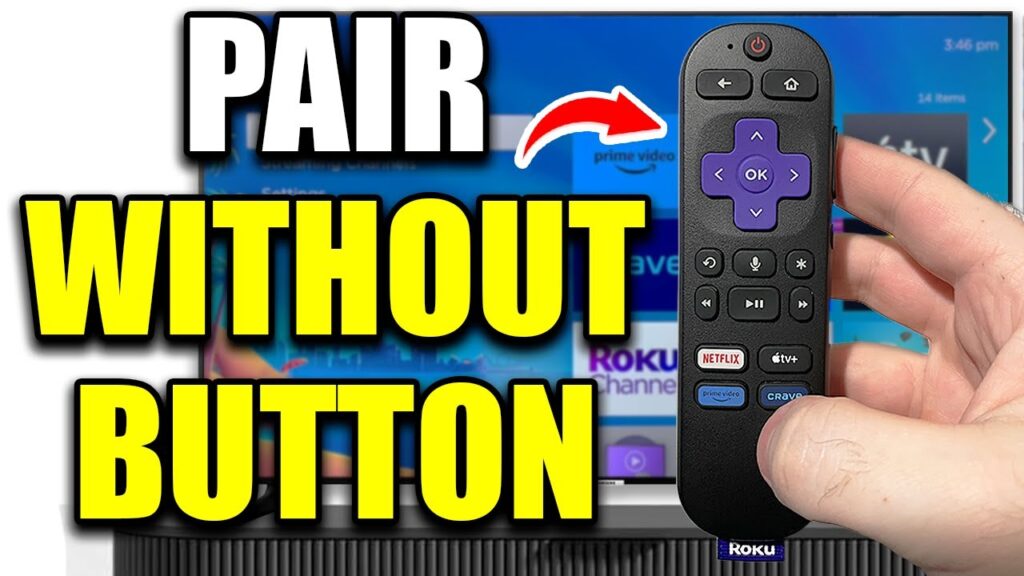
Roku’s official support says the standard method is to reboot the Roku device, wait for the home screen or pairing screen, then use the pairing button if the remote has one. On newer voice remotes without a pairing button, Roku says to press and hold Back and Home together for 5 seconds until the status light flashes.
That’s the clean version.
A practical version looks more like this:
Unplug the Roku.
Wait at least 5 seconds.
Plug it back in.
Once the device starts up, press the pairing button inside the battery compartment, or if there is no pairing button, hold Back + Home for 5 seconds.
Wait for the pairing prompt or on-screen confirmation.
Roku’s support page specifically documents that no-pairing-button method, which matters because how to sync roku remote without pairing button is one of those searches people do after turning the remote over six times and feeling like they’re missing something obvious. They’re not. Some remotes genuinely do not have the button.
how to sync roku remote without pairing button is a real thing, not a hack
This is worth separating because people assume “no pairing button” means “no pairing possible.” Not true for supported voice remotes.
Roku’s January 2026 support article says that for compatible voice remotes without a dedicated pairing button, you can press and hold Back and Home together for 5 seconds until the status light flashes, then follow the pairing flow.
That’s the official method. Not a forum trick. Not some YouTube guy whispering into a dimly lit microphone. The official method.
But if your remote is a simple IR remote, then this search term can send you in circles. Simple remotes don’t pair through that process. Roku says those remotes are ready once batteries are installed, and they need line-of-sight use.
So the first question is not “how do I sync it?” The first question is “what type of remote am I actually holding?”
how to connect roku remote to tv depends on what you mean by “connect”
This is where wording causes trouble.
A lot of people say how to connect roku remote to tv when they actually mean one of two different things:
They want the remote to control the Roku device.
Or they want the Roku voice remote to control TV power and volume too.
Those are separate jobs.
If you want the remote to work with the Roku device, pair it to the Roku player or Roku TV as described above.
If you want a Roku voice remote to also control TV functions like power and volume, Roku has a separate setup process in settings. Roku’s support says you can go into the remote settings and set up TV control. Voice remotes are built for this on compatible devices and TVs.
Simple remotes are more limited. Roku’s product and support pages distinguish between simple remotes and voice remotes, and voice remotes are the ones designed with broader TV-control features.
So yes, you can often use one Roku remote for both streaming control and TV volume/power, but that usually means a voice remote, not the most basic one.
reset roku remote when the normal steps don’t stick
Sometimes the remote gets into a weird state. Buttons stop responding consistently. Pairing works and then falls apart. Volume buttons act like they belong to another household. This is when people start looking for reset roku remote.
Roku’s official troubleshooting guidance says that if the remote has a pairing button, hold it for 20 seconds during the reset flow. If the remote has no pairing button, Roku says to press and hold Back + Home for 20 seconds.
That longer 20-second hold is not the same as the 5-second pairing action. Different move. Different goal.
A decent reset routine looks like this:
Take the batteries out or disconnect power if it’s rechargeable.
Restart the Roku device.
Put the batteries back in.
Hold the pairing button for 20 seconds, or hold Back + Home for 20 seconds if there is no pairing button.
Try the pairing process again.
This is the tech version of turning the gears backward and then trying again.
how to reset roku when the device itself is the problem
Not every remote issue is a remote issue.
Sometimes the Roku device is the one acting off. Menus freeze, pairing never completes, the box ignores inputs, or a software hiccup has jammed the whole setup. Roku’s official factory reset instructions say you can reset through the settings path:
Home > Settings > System > Advanced system settings > Factory reset.
There’s also often a physical reset button on the device, depending on the model. Factory reset is not the first thing I’d try, because it wipes settings and sends you back through setup. It’s the move for actual device trouble, not minor button weirdness.
A system restart is gentler. Roku also documents system restart steps on supported devices through the settings menu, typically under Settings > System > Power > System restart on devices where that option appears.
That’s usually smarter before going nuclear.
When a roku remote replacement is the better answer
There comes a point where troubleshooting turns into superstition.
If the remote has physical damage, battery corrosion, dead buttons, cracked housing, charging issues that keep returning, or it simply will not pair after following Roku’s official steps, replacement starts making more sense than endless tinkering.
Roku offers several replacement remotes, including the Roku Players Remote, Roku Voice Remote, Roku Voice Remote Pro, and Roku TV Remote, and Roku’s own comparison page says compatibility varies by Roku model. Some older models may not support every remote.
That compatibility piece matters a lot. “Remote replacement” sounds universal. It isn’t. Roku says right on its product comparison materials that different remotes work with different Roku players, Roku TVs, and audio devices.
So before buying a roku remote replacement, check the model compatibility instead of trusting the words “works with Roku” on some random listing.
pair roku remote problems are often really setup-order problems
This part catches people all the time.
They try to pair roku remote before the Roku device has fully restarted. Or they do the pairing hold before batteries are seated correctly. Or they point a simple remote at the TV instead of the Roku player. Or they are trying to pair during some half-finished network setup screen and the device is just not ready.
Roku’s own setup articles make the order pretty clear: power the device, wait for startup, then trigger pairing. That order exists for a reason.
Tech problems are often not dramatic. They’re procedural. One step too early, one button held too short, wrong remote type, wrong assumption. Then suddenly you’re ten minutes deep into annoyance because of sequencing.
Very dishwasher-manual energy.
What to do if you lost the remote completely
This isn’t one of your listed keywords, but it belongs here because it happens constantly.
Roku’s support says the Roku mobile app can be used as a replacement remote in many cases, which is a lifesaver if the physical remote is missing or dead and the Roku device is already on the same network.
This can get you back into the settings, help you connect things, and buy you enough time to choose the right physical replacement.
The catch, of course, is network setup. If the Roku isn’t already connected and you have no remote, life gets more annoying. There’s always one catch.
So, how long is a roku remote really?
If you want the straight answer again, here it is.
Most Roku player remotes and voice remotes are about 5.5 inches long. Roku’s own specs list the Roku Players Remote at 5.5 inches, the Roku Voice Remote at 5.5 inches, and the Roku TV Remote at 5.7 inches.
But by the time someone asks that, they usually care about something bigger than size. They care whether the remote is the right one, whether it will pair, whether it can control the TV, whether it needs a reset, or whether it’s time to stop arguing with it and get another one.
And honestly, that’s the real story with Roku remotes. They’re simple right up until they aren’t.
FAQs
1. How long is a Roku remote exactly?
Most current Roku player remotes are about 5.5 inches long. Roku’s Roku TV Remote is slightly longer at 5.7 inches. The width is roughly 1.65 to 1.7 inches, depending on the model.
2. Why is my roku remote not working even with new batteries?
If fresh batteries don’t fix it, the issue may be pairing, line-of-sight problems on simple remotes, or a Roku device glitch. Restart the Roku device first, then try pairing again if you have a voice remote. That solves more cases than people expect.
3. How to pair roku remote if it does not have a pairing button?
For compatible Roku voice remotes without a pairing button, Roku says to hold Back + Home for 5 seconds until the status light flashes, then complete the pairing flow on the Roku device. Simple remotes do not use this process.
4. How to connect roku remote to tv for volume and power?
You usually need a Roku voice remote for that. Roku provides TV-control setup through the settings on supported devices, allowing the remote to handle power and volume for compatible TVs. Basic simple remotes are more limited.
5. What does reset roku remote actually mean?
It usually means clearing the remote’s pairing state and reconnecting it. Roku says to hold the pairing button for 20 seconds, or hold Back + Home for 20 seconds on supported buttonless remotes, then pair it again.
6. When should I buy a roku remote replacement?
Buy a replacement if the remote has dead buttons, corrosion, physical damage, or repeated pairing failure after official troubleshooting. Just check compatibility first, because not every Roku remote works with every Roku device or Roku TV model.