The traditional office environment has permanently shifted across Australia and the globe. Recent data reveals that over a third of employed Australians now regularly work from home, cementing remote flexibility as an entrenched operational norm rather than a temporary workplace trend. With three days a week in the physical office emerging as the most common arrangement for corporate employees, the outdated concept of a static workstation is largely obsolete. Fortunately, this modern flexibility is proving highly beneficial for both employers and staff. A large-scale experiment demonstrated that hybrid workers are just as productive and as likely to be promoted as their fully office-based peers, while resignations among these employees dropped by an impressive 33 percent, according to a recent Stanford Report. However, unlocking this high level of performance requires more than just a reliable broadband connection. It demands a thoughtful, strategic approach to personal technology, ensuring your tools are as adaptable as your schedule.
Consolidating Hardware for Maximum Agility
When outfitting a home office, the temptation is often to purchase multiple standalone devices to cover every conceivable task. You might assume you need a complex desktop monitor setup for heavy corporate workloads, a tablet for reading reports on the couch, and a traditional notebook for commuting into the city. Yet, carrying, charging, and continuously syncing multiple devices creates unnecessary friction that slows down your daily output. A much smarter approach for the modern Australian professional is investing in a versatile 2 in 1 laptop that handles intensive, data-heavy multitasking just as easily as casual media consumption. By combining traditional, tactile typing capabilities with an intuitive touchscreen interface, users can seamlessly shift from drafting a dense business proposal to digitally whiteboarding a new marketing concept.
Furthermore, the integration of advanced stylus support and new generative AI capabilities in these convertible devices has made them incredibly powerful for enterprise applications. Beyond simple convenience, device consolidation offers several compelling advantages for hybrid workers looking to optimise their daily routines:
- Cost efficiency: Instead of spreading a technology budget across a mediocre desktop and a budget-friendly tablet, professionals can invest their capital in one premium, high-performance machine that easily lasts for years.
- Reduced electronic waste: Australia generates roughly 583,000 tonnes of e-waste annually. Choosing one multi-purpose device over three separate electronics is a highly effective consumer strategy for minimising your environmental footprint and meeting personal sustainability goals.
- Seamless transitions: Moving between the dining room table, a local cafe, and the corporate boardroom is effortless when your entire digital workspace is securely housed within a single, lightweight chassis.
- Enhanced data security: Managing sensitive client information on a single, encrypted device reduces the risk of data breaches compared to transferring files across a web of fragmented personal electronics.
Software Solutions for Sustained Focus
Upgrading your physical hardware is only half the equation when designing an optimal remote setup. The other critical component of a highly productive hybrid workspace is managing digital distractions and maintaining clear professional boundaries. Following the recent implementation of right to disconnect workplace laws under the Fair Work Act, establishing a firm separation between professional duties and personal time has never been more vital for long-term career satisfaction. To combat notification fatigue, forward-thinking professionals are adopting formal quiet hours, muting instant messaging channels, and utilising distinct digital workspaces for different projects.
One highly effective strategy is pairing your versatile hardware with dedicated productivity software designed to protect your attention span. For instance, using a digital tool that combines timed focus blocks with guided mindfulness exercises. It can drastically improve daily concentration levels. These types of specialised applications help remote workers maintain a state of deep, uninterrupted work while actively preventing the mental fatigue that often accompanies screen-heavy days.
Ergonomics and the Physical Environment
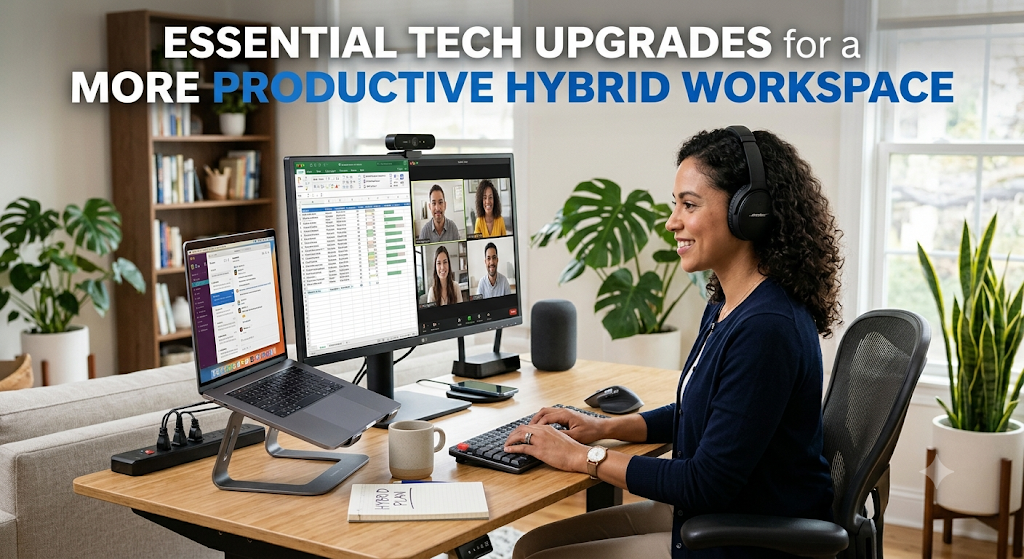
Even the most powerful computing setup will ultimately fall short if your physical environment causes ongoing discomfort or pain. When spending several days a week working from a home office, ergonomic alignment is absolutely essential to sustaining long-term productivity and overall well-being. Elevating your primary screen to eye level using an adjustable stand prevents cumulative neck strain, while investing in an external ergonomic keyboard and a responsive mouse supports natural wrist positioning during lengthy typing sessions. Many remote workers are also investing in adjustable standing desks to encourage movement throughout the day, combating the health risks associated with prolonged sitting.
Lighting also plays a surprisingly vital role in regulating daily energy levels and maintaining focus. Positioning your desk perpendicular to a natural light source reduces harsh screen glare and significantly lowers the risk of digital eye strain. When natural sunlight is unavailable, particularly during the shorter winter months, a dedicated monitor light bar can illuminate your workspace clearly without reflecting harshly off your screen or causing tension headaches.
Ultimately, creating a highly productive hybrid workspace is about systematically removing friction from your day. By embracing hardware consolidation, adopting software that actively protects your mental focus, and respecting the limits of your physical posture, you can build a personalised environment that seamlessly adapts to your specific workflow. This balanced approach ensures you can do your best work securely and efficiently, no matter where you happen to be logging in from today.