
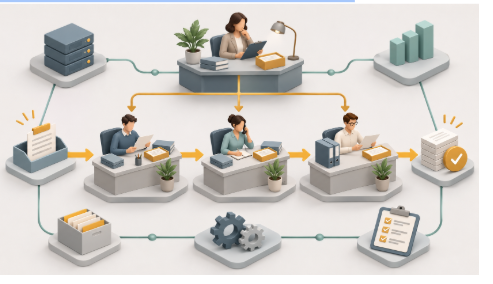
Your CRM looks tidy at a glance, but leads go unassigned, closed deals never reach billing, and customer handoffs stall.
CRM architecture design must ensure you have a reliable way to initiate these processes, assign them to someone, and handle the edge cases and errors that occur. Some common design patterns can help you achieve this.
What You’ll Learn
- Understand the existing workflow
- Selecting an appropriate pattern to implement
- Ensuring consistency across systems
- Where humans should retain control
- Error handling & testing
- Summary
Understand the existing workflow
Take one workflow, for example, converting a webform enquiry to an opportunity, and document how it currently progresses end-to-end.
You should capture the following for each step in the process:
- What initiates the next step
- Who owns that step
- What information is required at that point
- The outcome at completion of that step
Consider potential blockers at each stage that would prevent the next step from occurring.
When you receive an inbound lead, you need to know which sales rep to assign it to and their department to ensure the customer is in the right place, and you want to create a follow-up task.
Some tools allow you to automate some of the configuration of the CRM system itself, like Avtec, an innovative startup, which uses AI automation alongside senior Salesforce architects to configure and document Salesforce customizations. Regardless of how you implement it, consider how to incorporate your engineering team’s knowledge and experience to support this process.
It’s also worth noting the difference between configuring the CRM itself, versus automating workflows within the CRM system. The rest of this article focuses on the latter.
Selecting an appropriate pattern to implement
There is no ‘one size fits all’ workflow pattern to follow. You should aim to identify a suitable process that meets your requirements and allows you to extend and change it easily in the future.
Event driven
An event trigger fires after certain changes, such as a new lead entering your pipeline, an opportunity stage change, or a support case coming in. This is useful when you want another task to run shortly after.
Scheduler
Some tasks need to be done periodically on a set schedule. Running reports, creating tasks to contact unengaged leads etc.
Ensure that you account for duplicates and prevent duplicate records from being created/notifications sent.
Orchestration
Where multiple steps/records need to be updated and coordinated by a single workflow, you can use an orchestration pattern to ensure these run in sequence, with failures handled through retries or compensating actions. For example, you may need to notify a customer of their transition to another team/service, obtain sign-off from a manager, update a separate customer record in another system, and raise a task to greet them in the new service.
Ensuring consistency across systems
You will likely have other systems consuming/updating information in your CRM. To maintain consistency of data and avoid conflicts:
- Data ownership: You need to establish a single source of truth for each type of data (e.g. CRM will be the system of record for opportunity stage, billing for billing status). Otherwise, you risk conflicting updates across systems.
- Duplicate protection: An event that fires multiple times should not result in multiple invoices/welcome emails being created.
- Failed handoffs: Another trap is updating a CRM record but failing to notify the next system. A transactional outbox can help when the platform supports it. The system saves the record change and a pending event in the same transaction, then publishes the event separately.
Consider what to do if your second system is down: buffer items for later, re-queue transient errors and escalate persistent errors to a manual queue. In most cases, this is preferable to failing silently.
Where humans should retain control
If there’s a process you can automate and clearly define parameters around, automating is useful. However, having an automated process making decisions on your behalf can also create issues.
Why is this important in the context of customer service + AI? Gartner found that 91% of respondents (out of 321 service/support leaders) are being told by senior leaders to adopt AI in their teams in 2026.
A good CRM automation design will distinguish between tasks that are lower risk (composing an email, assigning lead status) and those requiring human review (responding to critical emails, updating price plans, deleting customers). The former can be handled by AI; the latter should go to a human.
Embed checks and balances in your workflow to ensure key events have been authorized by someone, with an audit trail of who/what/when. Also provide users with the means to undo any incorrect actions taken by AI.
Finally, workflows should have access only to the records necessary to perform their task, rather than blanket permissions to read/write all customer objects simply because they’re connected via an integration.
Error handling & testing
Once you’ve implemented the best path for a workflow, consider how to handle error scenarios and validate this in your testing:
- A lead arrives without an email address or owner.
- The same event is delivered twice.
- A manager rejects an approval request.
- Billing is unavailable after a deal closes.
- A customer record is corrected while a workflow is running.
You should establish remediation steps for any failed/partially-completed workflows and determine whether you need to roll back the actions that have been completed. Some of these may not be reversible (e.g. emails already sent to a customer).
Ensure you can trace and observe progress of each workflow execution and diagnose the cause of any errors. Consider what KPIs to measure to demonstrate value.
Summary
The first step to automating your CRM should be to define a workflow. Identify the workflow you want to follow, pick the appropriate automation type, ensure information is safely passed through and have error handling in place.
Then allow for user intervention at the appropriate points in the workflow. This will free up staff time while still allowing them to remain in control.