
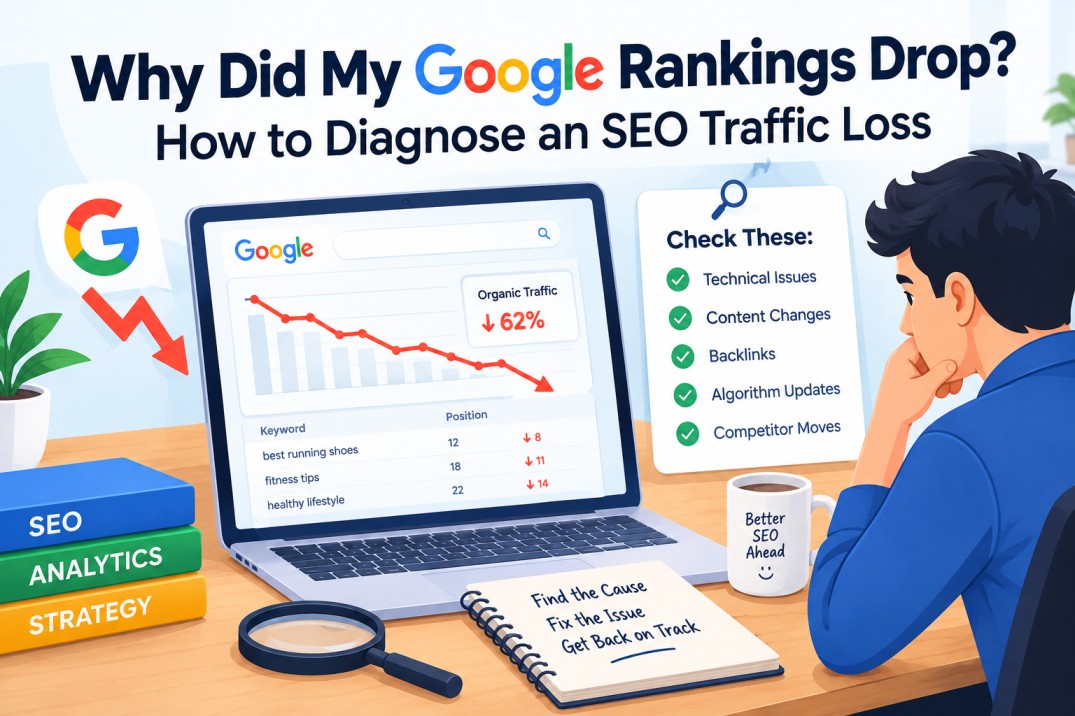
When your Google ranking drops, don’t immediately rewrite your content or publish more articles. First determine whether the decline comes from an algorithm change, technical problem, search-demand shift, SERP change, competitor improvement, or a page-level content issue. A proper diagnosis tells you what to fix—and what to leave alone.
The Traffic Graph Has Fallen. Now Don’t Touch the Website.
There is a particular kind of panic that happens in SEO.
You open your analytics dashboard on a Monday morning and notice that organic traffic is down. You check again a few hours later. The number is still falling. Then you open your ranking tracker and discover that several important keywords have moved down at almost the same time.
The temptation is immediate: change the titles, rewrite the articles, add more keywords, publish new content, update internal links and perhaps hire someone who promises to “recover the rankings.”
Stop there.
A Google ranking drop is an observation, not an explanation. Until you know why the numbers changed, making large changes to your website is mostly guesswork. In some cases, those changes can make the original problem harder to diagnose because you’ve changed too many variables at once.
The smarter approach is to treat an SEO traffic drop like a technical investigation. Establish when the decline began, identify exactly what changed, eliminate technical causes, examine the affected queries and pages, study the current search results, and only then decide whether the site needs content or SEO changes.
That process may feel slower than immediately rewriting fifty pages.
It is usually much faster than fixing the wrong problem.
Is It Really a Google Algorithm Update?
A decline that happens around the time of a Google update may be related to that update, but timing alone does not prove it. Search traffic can fall because of algorithm changes, seasonality, lower search demand, technical failures, stronger competitors, or changes in the search results themselves.
This is the first distinction you need to make.
Look at the timing before looking for a culprit
Suppose your traffic dropped sharply on June 14 and a Google core update began around the same period. That makes the update worth investigating, but it does not establish that the update caused your loss.
Perhaps your developer launched a new site version on June 12.
Perhaps one of your most important pages accidentally received a noindex directive.
Perhaps demand for the topic declined.
Perhaps a competitor published a substantially better resource two weeks earlier and gradually gained visibility.
Or perhaps your rankings stayed fairly stable, but a change in the search results caused fewer users to click traditional organic listings.
These scenarios can produce similar traffic graphs while requiring completely different responses.
Six causes worth separating
| Possible cause | What to investigate |
| Google algorithm update | Did the decline line up with a confirmed update, and were affected pages or queries hit unusually hard? |
| Seasonal change | Does the topic naturally rise and fall during the year? |
| Search demand decline | Are fewer people searching for the topic than before? |
| Competitor movement | Did competing pages improve, gain authority, or better satisfy search intent? |
| Technical failure | Did crawling, indexing, redirects, servers, canonicals, or templates change? |
| SERP change | Are new search features taking attention or clicks away from standard listings? |
The point is not to guess which row is responsible.
The point is to eliminate the wrong rows.
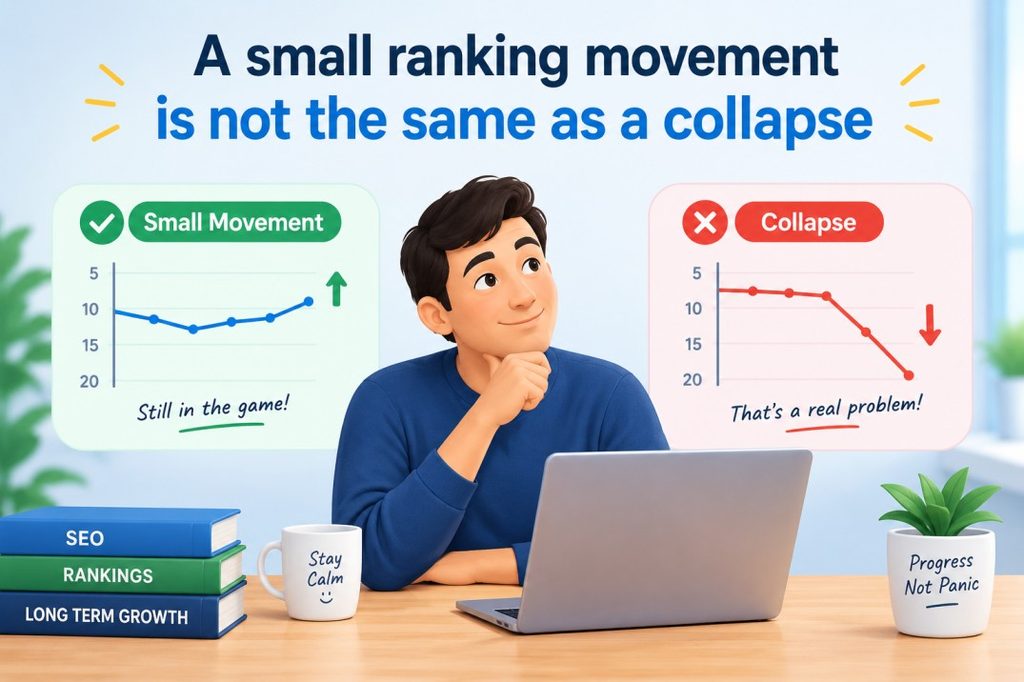
A small ranking movement is not the same as a collapse
Google itself advises against drastic action when a page experiences a relatively small movement. A page moving from position two to four is a different situation from one dropping from position four to twenty-nine.
That distinction should influence how aggressively you respond.
If an important page drops a couple of positions but continues producing impressions, clicks and conversions, watch the trend before rewriting it.
If a page has lost most of its visibility across a large group of related queries, a deeper investigation makes much more sense.
Start With Google Search Console
When trying to understand why did my Google rankings drop, Search Console should be one of your first sources of evidence.
Don’t start with a keyword list from an SEO tool. Start with what Google is actually showing you about your website’s search performance.
The Performance report gives you several useful signals, including clicks, impressions, click-through rate and average position. The power comes from looking at these metrics together rather than treating any one of them as the complete story.
Compare clicks
Clicks answer a simple question:
Are fewer people actually visiting your website from Google?
A decline in clicks is important, but it does not tell you whether rankings fell. You need the other metrics to understand what happened.
For example, clicks may decline while impressions remain stable. That could suggest a change in CTR or the appearance of the search results rather than a major visibility problem.
Compare impressions
Impressions tell you whether your pages are appearing in Google’s results as often as before.
Imagine a page had:
100,000 impressions → 45,000 impressions
That is a very different signal from:
100,000 impressions → 98,000 impressions
If impressions collapsed, investigate visibility, indexing, rankings, demand and affected queries.
If impressions remained almost unchanged but clicks dropped substantially, your attention should shift toward CTR and the search-result environment.
Check CTR
CTR is particularly useful when impressions are healthy but traffic is not.
A page can continue appearing for thousands of searches but receive fewer clicks because the result is less attractive, the query intent has shifted, or the SERP contains more elements competing for attention.
This is why changing content purely because traffic dropped can be a mistake. Sometimes the content is still visible; the problem is what happens before the click.
Check average position carefully
Average position is useful, but don’t treat it like a perfectly precise ranking number.
Search Console calculates an average based on impressions, and a page can rank at very different positions for different searches. A change in average position should therefore be used as evidence for investigation rather than as a standalone diagnosis.
More importantly, look at the trend across meaningful queries and pages.
If impressions, clicks and positions all deteriorate for the same group of pages, you have a much stronger signal that visibility has genuinely weakened.
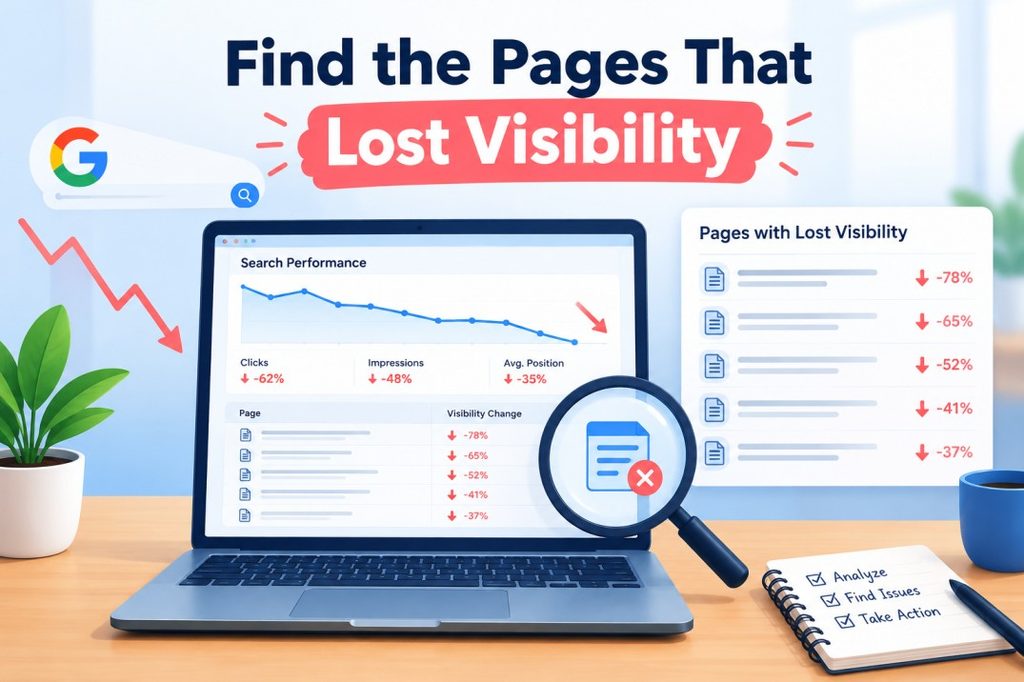
Find the Pages That Lost Visibility
Once you’ve confirmed that organic performance really changed, stop looking at the site as one giant number.
Break the decline down by page.
This is where many SEO investigations become useful.
Start with your highest-value pages
Export or review your top organic landing pages before and after the decline.
Then identify:
- Which pages lost the most clicks?
- Which pages lost the most impressions?
- Which pages experienced the largest position changes?
- Which pages were responsible for your most valuable conversions?
- Which queries disappeared from those pages?
- Are the losses concentrated around one topic?
A page that lost 500 clicks may deserve more attention than ten pages that each lost 20 clicks.
But business value matters too. A page that lost only 100 visits but generated high-value leads may deserve more attention than a high-traffic informational article.
Filter by query and page together
One of Search Console’s most useful abilities is allowing you to move between queries and pages.
Suppose a page used to rank for 40 closely related queries.
After the decline, it now performs well for only eight.
That tells you much more than simply knowing that the page’s traffic fell.
You can then examine which kinds of searches disappeared.
Were they informational?
Commercial?
Local?
Comparison-oriented?
Long-tail?
That can reveal whether the problem is general visibility or a change in how Google understands the page’s relevance to a particular intent.
Look for clusters, not isolated failures
Imagine you have 300 SEO landing pages.
Only 12 decline significantly, and ten of those pages belong to the same topic.
That is a clue.
It may indicate that the issue is related to the topic, intent, quality, competition or content format rather than being a whole-site failure.
On the other hand, if 80% of your important URLs lose visibility at almost exactly the same time, investigate sitewide changes and technical problems much more aggressively.
Sitewide or Page-Level Damage?
This distinction changes the entire recovery strategy.
A page-level problem should usually lead to a page-level investigation. A sitewide problem needs a wider examination of technical infrastructure, content patterns and major changes affecting the domain.
| Pattern you see | Where to investigate first |
| One URL suddenly loses traffic | Page content, indexing, internal links and query intent |
| Several related URLs decline | Topic quality, intent, competition and content overlap |
| Entire content category declines | Topic-level or site architecture issues |
| Most site pages decline together | Technical, algorithmic or sitewide changes |
| Impressions stable, clicks fall | CTR and SERP changes |
| Rankings fall but only in one country | Local competition, demand or geographic intent |
| Mobile visibility falls more than desktop | Mobile implementation, UX or mobile-specific issues |
| Traffic falls after a redesign | URLs, redirects, canonicals, indexing and internal links |
This table is not a diagnosis machine. It is a way to decide where to look next.
Check Indexing Before Rewriting Content
A surprising amount of SEO troubleshooting becomes much easier when you inspect technical fundamentals before touching the copy.
A page cannot perform normally in Google Search if search engines cannot properly access or index the version you intend to rank.
Check for accidental noindex
A page can disappear from search because a developer, plugin or CMS template added a noindex directive.
This is especially worth checking after:
- website redesigns
- migrations
- staging-to-production deployments
- CMS changes
- template updates
- plugin installations
If a page is deliberately marked noindex, that’s fine. The problem is an accidental directive on a page that should be receiving organic traffic.
Check robots.txt
Robots.txt controls which URLs or resources crawlers are allowed to request.
A small configuration change can have a surprisingly large effect if an important section of the website becomes inaccessible to Googlebot.
Don’t assume the file is correct because nobody remembers changing it. Verify it.
Check canonical URLs
Canonicalisation tells search engines which version of similar or duplicate pages you prefer to represent.
If a page unexpectedly points its canonical signal toward another URL, you need to understand why.
This becomes particularly important after:
- template changes
- migrations
- URL restructuring
- ecommerce filter changes
- multilingual implementations
Google can choose a different canonical than the one you specify, so inspect what Google actually selected rather than looking only at your source code.
Check redirects
If URLs changed recently, inspect the redirect chain from the old address to the new one.
A migration can lose search visibility because old URLs were redirected incorrectly, redirected to irrelevant destinations, or not redirected at all.
This is one reason a sudden ranking drop after a website redesign should trigger a technical SEO audit before a content rewrite.
Check server errors
A page can look perfectly fine to you while returning an error to crawlers at inconvenient times.
Review server responses, hosting reliability and recent infrastructure changes. If many important URLs began returning errors, timing may tell you more than an algorithm-update headline ever will.
Check for accidental URL changes
This is particularly common after redesigns.
A page that used to live at:
/best-crm-software/
may suddenly become:
/resources/best-crm-tools-2026/
If the change was not handled properly, the search engine may need to rediscover and reassess the new URL while the old signals are no longer connected as intended.
Never assume a URL change is SEO-neutral.

Check Whether Search Intent Changed
Sometimes your page did not become worse.
The searcher’s expectation changed.
This is one of the most overlooked reasons for a ranking decline.
Suppose you created a detailed article targeting “best CRM software.” Your page explains what CRM software is, discusses its history, lists important features and provides a general overview.
For years, that might have been enough to compete.
But imagine the search results gradually become dominated by pages offering direct product comparisons, pricing tables, feature matrices, screenshots, use-case recommendations and clear distinctions between solutions for startups, enterprises and agencies.
Your article can remain factually correct while becoming a poorer match for the current intent.
That’s not necessarily an algorithm “penalty.”
It may simply mean the page is no longer answering the question in the way searchers now expect.
Search intent can be identified from the results themselves
Look at the current top-ranking pages and ask:
What type of page keeps appearing?
If most results are:
- comparison pages
- category pages
- tools
- product listings
- tutorials
- location-specific pages
- original research
- reviews
then that pattern is telling you something.
Don’t copy those pages word for word.
Understand what the search results reveal about the task the user is trying to complete.
Check Your Competitors
SEO is a relative competition.
You can spend six months improving a page and still lose rankings because someone else improved theirs more effectively.
That is why every serious ranking investigation should include a competitor comparison.
Look beyond word count
Do not open the top five results and simply count words.
Ask better questions.
Depth: Does the competing page answer important questions your page ignores?
Original research: Does it contain data, experiments, surveys, screenshots or observations that other websites don’t have?
Page intent: Does it solve the user’s actual problem faster?
Freshness: Has the competitor updated important information while your page has remained unchanged?
Authority: Does the competing website have stronger topical or relevant authority?
Media: Are images, videos, diagrams, tools or interactive elements helping the competing page explain something better?
UX: Can users actually find what they need without fighting through a wall of introductory text?
These comparisons are much more useful than asking whether competitor content is 500 words longer.
Look for what changed recently
A competitor that has been ranking below you for years may suddenly move ahead after a major revision.
Find out what changed.
Maybe the new version includes first-hand testing.
Maybe it added original pricing information.
Maybe it replaced generic explanations with concrete examples.
Maybe the page was updated for the latest product version.
Maybe its internal-link structure became much stronger.
This helps you identify the type of improvement that may matter, rather than simply copying the surface features of the result.
Don’t imitate weaknesses just because they’re ranking
Search results are not perfect.
A competing page may rank despite having an awkward introduction, unnecessary sections or weak explanations.
Do not automatically copy every element because it appears above you.
The better objective is:
Understand what makes the page competitive, then build something that solves the user’s problem better.
The SEO Recovery Decision Tree
Once you have finished the investigation, you should be able to classify the problem.
The process can be simplified into five stages:
Diagnose → Classify → Prioritise → Fix → Monitor
1. Diagnose
Establish what actually changed.
Was it clicks, impressions, rankings, CTR, conversions, or some combination?
Find the affected pages and queries.
2. Classify
Determine the most likely category.
Is it technical?
Content-related?
Intent-related?
Competitive?
Demand-related?
SERP-related?
An individual page can have more than one problem, but don’t begin fixing five possible causes at once.
3. Prioritise
Not every declining URL deserves immediate attention.
Give priority to pages with some combination of:
- significant traffic loss
- high conversion value
- strong historical performance
- clear search demand
- realistic recovery potential
- strategic importance to your business
A thousand-page website does not need a thousand-page emergency project.
4. Fix
Choose the intervention that matches the diagnosis.
If indexing is broken, fix indexing.
If the page is stale, update it.
If intent changed, restructure the content around the new intent.
If two pages compete for the same query, investigate consolidation.
If CTR has weakened while visibility remains stable, investigate the search-result presentation before rewriting the entire article.
5. Monitor
Do not make a major change and check rankings the next morning.
Search results are dynamic, and some changes take time to be reflected meaningfully.
Record what you changed and when.
Then monitor the affected queries, pages, impressions, clicks and conversions over a sensible period.
A recovery process without a change log quickly turns into guesswork all over again.
What You Should Not Do After a Ranking Drop
A ranking decline creates psychological pressure to act.
That pressure produces some remarkably bad SEO decisions.
Don’t rewrite every page
If only a handful of URLs declined, changing hundreds of healthy pages introduces unnecessary risk and makes the cause harder to identify.
Don’t blindly increase keyword density
If the page already covers the topic naturally, adding more repetitions of the same phrase does not solve a deeper relevance or quality problem.
Don’t publish dozens of new articles immediately
More content can make a weak content strategy bigger rather than better.
Before creating new pages, ask whether existing pages could be improved, combined or better connected.
Don’t change URLs without a reason
URLs are part of the site’s existing history and structure. Changing them during a panic-driven recovery project creates additional technical variables you don’t need.
Don’t assume every drop is a penalty
A page moving down in a ranking system does not automatically mean Google has manually punished the website.
Sometimes another result simply became the better match.
That is an uncomfortable explanation because it means the answer isn’t always “undo the penalty.”
Sometimes the answer is:
Make the page better.
When Should You Expect Recovery?
This is where patience becomes part of good SEO.
Some technical fixes can have an effect relatively quickly after Google recrawls and processes the affected pages. Broader content improvements can take substantially longer, particularly when search systems need to reassess the quality and usefulness of a site over time.
That means you should avoid making a second major rewrite simply because the first one hasn’t produced an immediate improvement.
Give changes enough time to produce interpretable evidence.
At the same time, don’t use “wait and see” as an excuse to ignore clear technical problems.
A useful rule is:
Fix obvious technical issues quickly. Evaluate substantial content changes over a longer period.

The Most Useful Mindset for SEO Recovery
A ranking drop can feel like Google has taken something away from you.
A better way to view it is that the search landscape has changed and your job is to understand how.
Perhaps the algorithm changed.
Perhaps competitors improved.
Perhaps users now expect a different kind of answer.
Perhaps your technical implementation introduced a problem.
Perhaps the search itself changed.
The website cannot respond intelligently until you know which situation you’re facing.
That is why the best SEO recovery work often begins with doing less, not more.
Don’t rewrite the site because a graph looks frightening.
Don’t publish because your content calendar feels empty.
Don’t add keywords because someone on social media said that AI search prefers them.
First, follow the evidence.
A strong diagnosis turns an alarming traffic chart into a set of specific questions. Once those questions have answers, the path forward becomes considerably clearer.
And that is the real lesson behind why did my Google rankings drop: the valuable skill is not reacting fastest to a ranking loss.
It is identifying what actually changed before you decide what to change next.
Frequently Asked Questions
Why did my Google rankings drop suddenly?
A sudden decline can have several causes, including a Google algorithm update, indexing problem, server issue, URL change, stronger competition, changing search demand or a shift in search-result features. The first step is to compare Search Console clicks, impressions, CTR, average position, affected queries and landing pages before making changes.
How do I know if a Google update caused my ranking drop?
Check whether the timing of your decline overlaps with a confirmed Google update, but don’t stop there. Examine the pages and queries that changed and compare the size of the decline. Also rule out technical issues, demand changes and competitor movement before attributing the entire loss to an algorithm update.
Can a technical SEO problem cause a major traffic drop?
Yes. Problems involving noindex directives, robots.txt, canonical URLs, redirects, server errors, internal links or accidental URL changes can reduce search visibility. This is why technical checks should happen early in an SEO investigation, especially when a significant decline follows a redesign, migration or development deployment.
Should I rewrite my content after a Google ranking drop?
Not automatically. First determine whether the page actually has a content or search-intent problem. If the page remains useful and has experienced only a small ranking movement, aggressive rewriting may be unnecessary. Larger, sustained declines deserve a deeper review of intent, quality, freshness, originality and competing results.
What should I check first when organic traffic falls?
Start with Google Search Console and compare clicks, impressions, CTR and average position for the affected period. Then identify which pages and queries lost visibility. Once you’ve isolated the problem, check technical issues, search demand, SERP changes, search intent and competitors before deciding on an SEO recovery action.
Suggested Internal Links
Primary: How to Recover Your Google Rankings After an AI Update
Secondary: How to Write AI-Friendly Content That Still Performs in Google Search
Secondary: New SEO Techniques in 2026: What Actually Matters After AI Search
Suggested Image Alt Text
- Google Search Console dashboard showing a sudden organic traffic decline
- SEO diagnosis table comparing clicks impressions CTR and average position
- Search Console page report showing URLs that lost organic visibility
- Technical SEO checklist for diagnosing a sudden Google ranking drop
- Search results comparison showing changes in search intent and competing pages
- SEO recovery decision tree from diagnosis to monitoring
Research basis used for the article: Google’s current documentation on diagnosing Search traffic drops, core updates, Search Console performance metrics, crawling/indexing, canonicalisation and site migrations.