
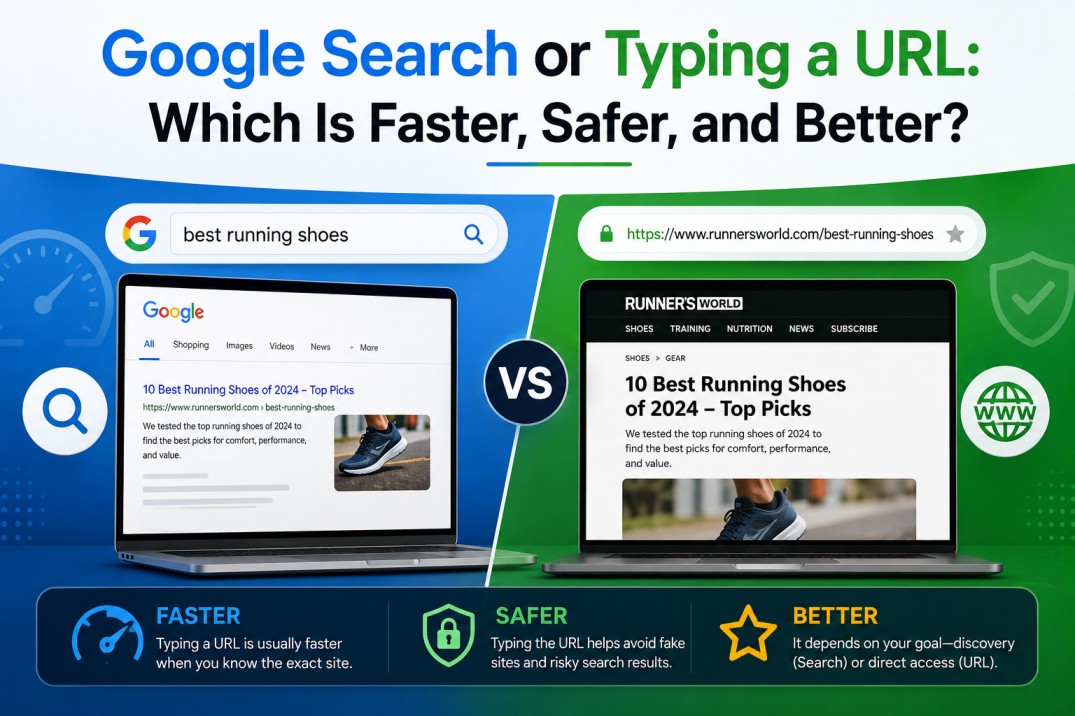
The choice between searching Google and typing a URL directly depends mainly on one thing: whether the destination is already known. Searching is designed for discovery, while typing a URL is designed for reaching a specific destination without relying on a search engine to find it. Neither option is automatically faster or safer in every situation.
The distinction is simple, but the practical difference becomes more noticeable during everyday browsing. A person researching a topic, comparing products or looking for an unfamiliar website will generally benefit from a search. Someone visiting a known bank, company portal or frequently used website may find type URL directly more efficient.
Both methods also carry different risks. Search results can lead to misleading or fraudulent pages, while manually entering a URL can result in spelling errors or visits to deceptive lookalike domains. Understanding when each approach works best makes browsing more efficient without treating one method as universally superior.
Search Google vs Type a URL: What Is the Difference?
Search and direct navigation begin in the same place in a modern browser: the address bar. Chrome calls this combined field the Omnibox because it can handle both search queries and website addresses, along with other functions such as bookmarks and browsing history.
The difference lies in what the input represents.
A search query describes what the user wants to find. A URL describes where the user wants to go.
For example, these two inputs have completely different purposes:
best laptops for students
The first asks a search engine to identify useful information or destinations. The second identifies a particular website.
Search Is About Discovery
When a query is submitted to Google, the search engine returns a collection of results. The user can then review those results and choose an appropriate page.
This makes search particularly useful when the destination is unknown. A query can produce several sources, allowing the user to compare information rather than relying on a single predetermined website.
A URL Is About Navigation
Entering a complete URL generally removes the search-results stage.
The browser interprets the address and attempts to navigate directly to the specified destination. This is known as direct website navigation, and it is particularly useful when the correct website is already known.
The Core Difference
| Search | URL |
| Finds information or websites | Opens a known destination |
| Usually produces search results | Usually goes directly to a page |
| Useful when the destination is unknown | Useful when the destination is known |
| Supports discovery and comparison | Supports direct navigation |
| Depends on a search engine | Does not require search results |
This difference forms the basis for deciding which method is more appropriate in a particular situation.
Which Is Faster?
Speed is one of the most common reasons people ask whether they should search or navigate directly. The answer depends on what “faster” means.
If the goal is simply to reach a website whose exact URL is already known, typing that address can be faster because it eliminates the need to view and select a search result.
For example, someone who knows the verified address of a company’s employee portal can enter the URL and proceed directly to the site. Searching for the company first would add an unnecessary step.
The situation changes when the destination is unknown. Searching for “best museums in Paris” is much more efficient than trying to guess the URL of an appropriate museum website.
Search Can Be Faster for Discovery
Direct navigation is not automatically the fastest approach when the desired destination is uncertain.
A search engine is built to solve that problem. It takes a general query and produces possible destinations, often within seconds.
Searching can therefore be faster when the alternative is guessing URLs, opening several websites manually or browsing through a site’s homepage to find the required information.
Page Loading Speed Is Different
It is also important to separate navigation efficiency from technical page speed.
Typing a URL directly may avoid a search-results page, but it does not guarantee that the destination website itself will load quickly.
A website’s server, page size, network conditions and other technical factors influence loading time regardless of how the website was reached.
The practical advantage of a URL is therefore mainly the removal of an extra discovery step, not guaranteed faster website performance.
Which Is More Accurate?
Accuracy depends on whether the intended destination is known with confidence.
If an exact URL has been verified, direct navigation can be highly precise. The browser is being given a specific destination rather than asked to interpret a broad search query.
For example:
https://www.example.com/support
is much more precise than searching for:
example support page
A search engine may return the official support page, a third-party article, an old result or another related page. Direct navigation removes that uncertainty if the URL itself is correct.
Search Is More Flexible
Search, however, is more forgiving when the exact destination is unknown.
A query can be broad or detailed, and the search engine can return several possibilities. This makes search more flexible for research and discovery.
Someone looking for a particular government service may not remember its exact web address. A search can locate the appropriate official website without requiring the user to know the URL in advance.
URLs Require Accuracy
The weakness of direct navigation is that the address must be correct.
A typo can lead to:
- A nonexistent page
- A search instead of direct navigation
- A different domain
- A potentially deceptive website
That is why verified URLs are particularly useful for important services.
Which Is Better for Research?
For research, Google search is generally more useful because research usually involves discovery rather than direct navigation.
A search query can produce multiple perspectives on the same topic. This is especially valuable when evaluating reviews, news coverage, academic information, product comparisons or competing explanations.
For example, a search for:
effects of remote work on productivity
can produce research papers, news reports, company studies and expert commentary.
Typing the URL of one website would only take the researcher to a single source.
Search Helps Compare Sources
One of the biggest advantages of search is the ability to evaluate different sources.
A researcher can compare:
- Publication dates
- Authors
- Organisations
- Methodologies
- Opinions
- Supporting evidence
- Different interpretations
This makes search useful for subjects where one source may not provide a complete picture.
Direct URLs Still Matter During Research
Direct navigation becomes useful once a reliable source has been identified.
For example, after discovering an organisation’s official report through search, opening the organisation’s verified domain directly can make subsequent visits faster.
The two methods therefore work well together:
Search for discovery → verify the source → navigate directly later.

Which Is Better for Repeated Websites?
For websites that are visited frequently, direct navigation is usually more practical than performing a fresh search every time.
A user who regularly visits the same email service, company dashboard or online newspaper does not gain much from searching for it repeatedly.
There are several ways to make repeated navigation easier.
Bookmarks
A bookmark stores the verified destination so the user does not need to remember or type the URL each time.
Bookmarks are particularly useful for important websites where a spelling mistake could create security risks.
Browsing History
Modern browsers also make frequently visited pages easier to find through browsing history and address-bar suggestions.
Chrome’s address bar can provide suggestions based on browsing history and other configured sources, making repeated navigation faster.
Typing the URL
For short and familiar domains, typing the address directly can also be efficient.
Over time, frequent users often remember commonly visited domains automatically.
Which Is Safer?
Neither search nor direct navigation can be described as universally safer.
Both methods can expose users to legitimate websites as well as malicious ones, but the risks are somewhat different.
Risks of Searching
Search engines may return:
- Fake websites
- Phishing pages
- Misleading content
- Malicious downloads
- Lookalike domains
- Unhelpful or outdated information
Paid advertisements can also appear above or alongside organic results. This does not mean advertisements are inherently unsafe, but users should still confirm that the destination is the organisation they intended to visit.
The first result should not automatically be treated as the official or safest result.
Risks of Direct Navigation
Typing a URL avoids the need to select a search result, but it introduces a different problem: human error.
A single incorrect character can send a visitor somewhere unintended.
Attackers can take advantage of this with domains designed to resemble legitimate websites. These may differ from the genuine domain by only a small spelling variation.
Which Method Is Safer for Banking?
For financial services and other sensitive accounts, the safest approach is often to use a verified official domain or bookmark rather than relying on a random search result.
A trusted URL can reduce the chance of selecting a deceptive search result.
However, manually typing a URL is only beneficial when the address itself is known to be correct.
When Searching Is Better
Search is the better choice when the task involves discovery, comparison or uncertainty.
When the Destination Is Unknown
A search engine can identify websites that might otherwise be difficult to find.
For example, someone searching for:
best hiking trails near Pune
does not need to know which website contains the answer.
When Multiple Sources Matter
Search is useful when several perspectives are valuable, particularly for news, research and product comparisons.

When the Search Is More Important Than the Website
Some searches are really about getting an answer rather than reaching a specific website.
Queries such as:
- “how many calories are in an apple?”
- “weather in Mumbai”
- “how to reset a router”
can often be answered directly through search features.
When the Query Is Complex
A longer natural-language question may be easier to search than to translate into a website destination.
Search engines can interpret general questions and identify relevant resources.
When Typing a URL Is Better
Direct navigation makes more sense when the destination is already established.
When the Exact Website Is Known
A verified URL removes the need to locate the website through search.
For Frequently Used Services
Email, workplace systems, cloud storage and other regularly visited services are good candidates for bookmarks or direct navigation.
When Avoiding Search-Result Confusion
If a user knows the official website, going directly there can reduce the chance of accidentally selecting an imitation site.
When the Destination Is Provided by a Trusted Source
A verified URL from the organisation itself, such as one provided in official documentation or a trusted account, may be preferable to searching for the organisation again.
Real-Life Examples
The choice between search and URL becomes easier to understand through common browsing situations.
Banking
Suppose a customer needs to access online banking.
Searching for the bank’s name may produce advertisements, articles and multiple results. A verified official URL or trusted bookmark can provide a more controlled route to the banking website.
Because financial information is sensitive, checking the domain carefully is especially important.
Shopping
For a familiar online store, direct navigation may be convenient when the official domain is already known.
For product research, however, search is usually more useful because it allows prices, specifications, reviews and alternative retailers to be compared.
News
Search is useful when looking for the latest coverage of a developing event because several publications may report the story from different perspectives.
Once a trusted publication is identified, its website can be bookmarked for future visits.
Social Media
Someone using a familiar social platform may navigate directly to its verified domain.
Search may be more useful when finding a particular public profile, community or post.
Travel
A traveller may search for:
best hotels in Singapore
during the research stage.
Once a preferred hotel or booking service is identified, direct navigation can make subsequent visits easier.
Research
Academic and professional research usually benefits from search because it involves finding and comparing multiple sources.
Direct URLs become more useful after reliable sources have been identified.
Search vs URL Comparison Table
The choice can be summarised as follows:
| Situation | Better option | Reason |
| Known website | Type URL | Direct route |
| Unknown website | Search | Helps discover destinations |
| Comparing sources | Search | Provides multiple results |
| Frequent website | URL/bookmark | Saves repeated searches |
| Product research | Search | Compares options |
| Accessing verified banking site | Verified URL/bookmark | Reduces search-result risk |
| Finding current news | Search | Finds recent coverage |
| Visiting a known article | URL | Direct access |
| Exploring a broad topic | Search | Better discovery |
| Entering a known internal portal | URL/bookmark | Direct navigation |
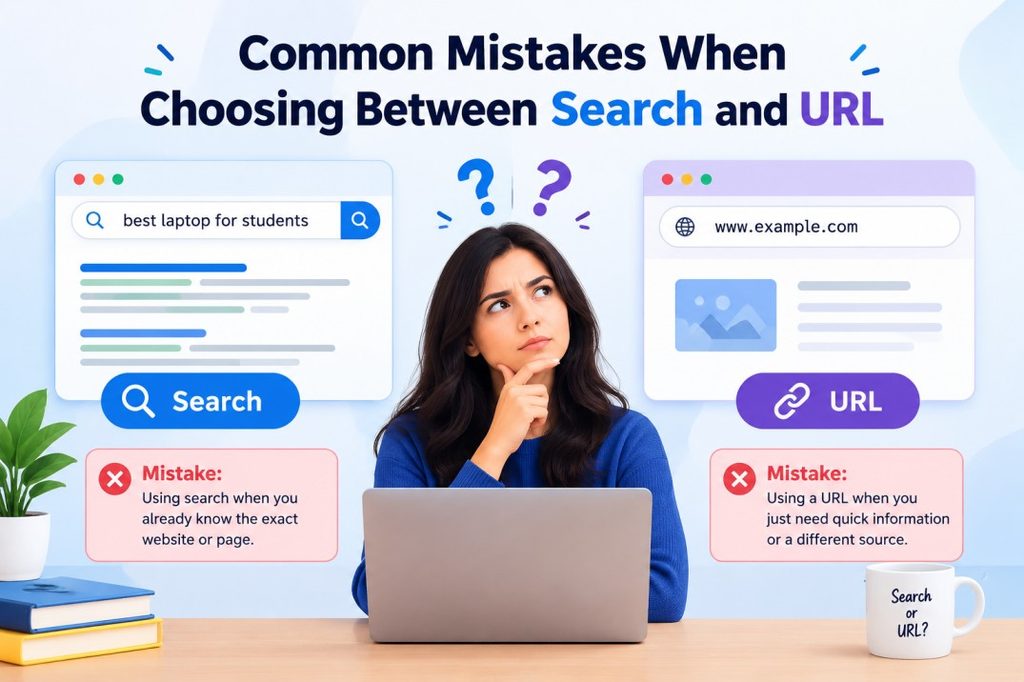
Common Mistakes When Choosing Between Search and URL
One of the most common mistakes is assuming that the browser will always recognise a website name as a direct destination.
Typing:
example
is not the same as entering:
The first can be treated as a search query, while the second clearly specifies a URL.
Another mistake is assuming that a search result at the top of the page must be the official website. Search rankings do not remove the need to verify the destination.
Users also sometimes place too much trust in HTTPS. Encryption is valuable, but an HTTPS connection does not establish that the website itself is legitimate.
A further mistake is repeatedly searching for websites that are already known and trusted. For frequently used destinations, bookmarks or direct navigation can be faster and reduce unnecessary steps.
Finally, manually typing unfamiliar URLs without checking them can introduce its own risks. Direct navigation is most useful when the destination has already been verified.
Frequently Asked Questions
Is it better to search Google or type a URL?
Neither method is always better. Search is generally better for discovering information or websites, while typing a URL is more useful when the exact destination is already known.
Is typing a URL faster than searching?
It can be faster when the correct destination is known because it removes the search-results step. It does not necessarily make the website itself load faster.
What is the difference between search and URL navigation?
Search uses a search engine to find possible destinations, while URL navigation takes the browser directly to a specified web address.
Is searching Google safer than typing a URL?
Not automatically. Search results can include misleading or malicious pages, while typing a URL can lead to a wrong or deceptive domain if the address is incorrect.
When should I type a URL directly?
Direct URL entry works well when the exact website is known and the address has been verified. It is particularly useful for frequently visited websites.
When should I search instead?
Search is better when the destination is unknown, when several sources need to be compared or when the task involves general research.
Does typing a URL skip Google?
Yes. When a valid URL is entered directly, the browser normally attempts to navigate to that website instead of first displaying Google search results.
Can Google still appear when typing in the address bar?
Yes, if the browser interprets the input as a search query rather than a URL, the query may be sent to the configured default search engine.
Is the browser address bar the same as the search bar?
Modern browsers commonly combine those functions. In Chrome, the combined field is known as the Omnibox.
Is a URL safer than a search result?
A verified URL can reduce the risk of selecting an impersonation from search results, but only if the URL itself is genuine. A manually entered misspelled or fraudulent domain can still be dangerous.
Should banking websites be accessed through Google?
For sensitive financial services, using a verified official URL or bookmark can help reduce the chance of clicking a misleading result. The domain should always be checked carefully.
Can search results contain fake websites?
Yes. Search engines can surface misleading, deceptive or malicious websites. Users should verify important destinations rather than assuming the first result is automatically genuine.
Does HTTPS make direct navigation safe?
HTTPS protects the connection between the browser and website, but it does not prove that the website itself is legitimate.
What is direct website navigation?
Direct website navigation means accessing a known website or webpage without first using a search engine to find it.
What is search engine vs URL navigation?
A search engine helps discover online information and destinations. URL navigation identifies a specific destination directly.
The Better Choice Depends on the Task
Search and direct navigation are not competing technologies. They solve different problems.
Search is designed for discovery. It becomes particularly valuable when the destination is unknown, several sources need to be compared or the objective is to research a topic.
A URL is designed for precision. Once a trustworthy destination is known, direct navigation can remove unnecessary steps and provide a straightforward route to the required page.
The most efficient browsing habits therefore use both. Search can help locate and evaluate a source, while a verified URL or bookmark can make future visits quicker. Understanding that distinction makes the browser address bar much more than a place to type text. It becomes a practical tool for choosing the right route to the information or website that matters.